How to Receive and Track Rev+ Rewards
Rev+ empowers developers, stablecoin issuers, and DAOs to earn a share of transaction fees generated by activity on their smart contracts. This guide outlines the steps to get your contract configured for Rev+ rewards and explains how to monitor and track your earnings on-chain.
Apply for Rev+ Revenue Distribution
- Apply for the Core Rev+ Program through the application form here.
- Upon submission, the project will be thoroughly evaluated and reached out for information regarding Rev+ configurations, such as the list of events that trigger the fee distribution, reward addresses, rewards split details, etc.
How to Track Your Rev+ Direct Distribution Rewards
- Navigate to scan.coredao.org
- Paste Your Reward Address in the search bar.
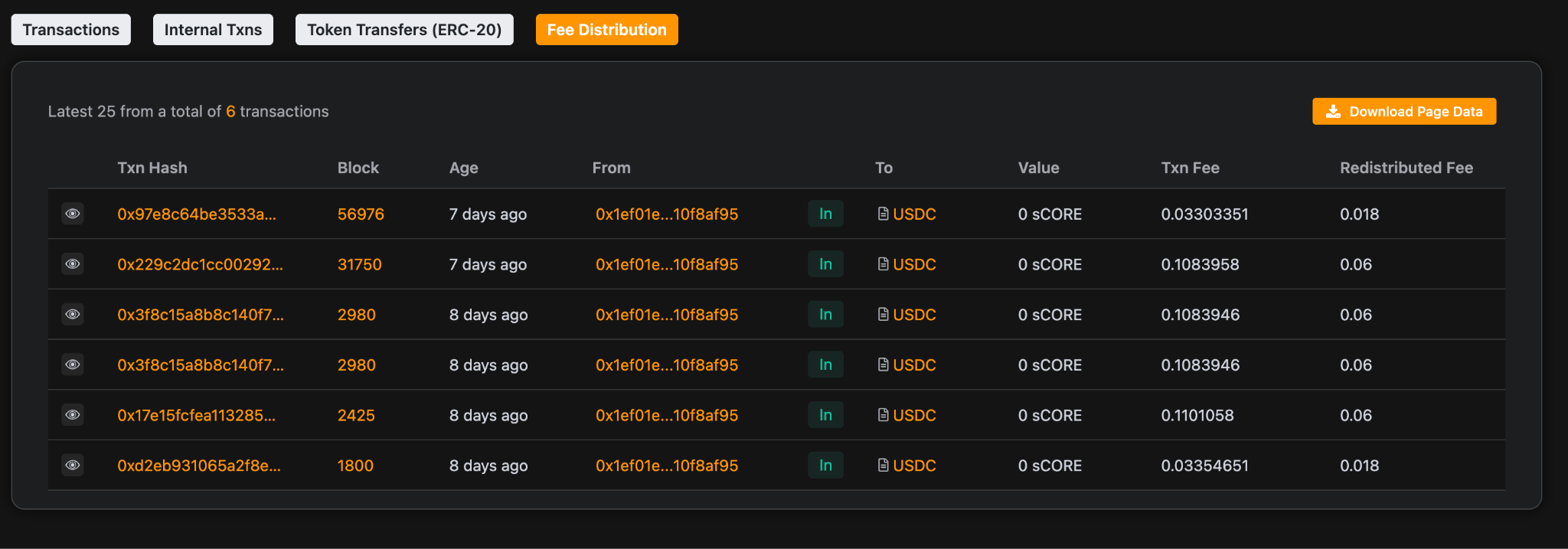
- Access the Fee Distribution Tab: Once your reward address is entered, an extra tab called Fee Distribution will appear. Here, you can see all your fee distributions and track your Rev+ rewards in detail.
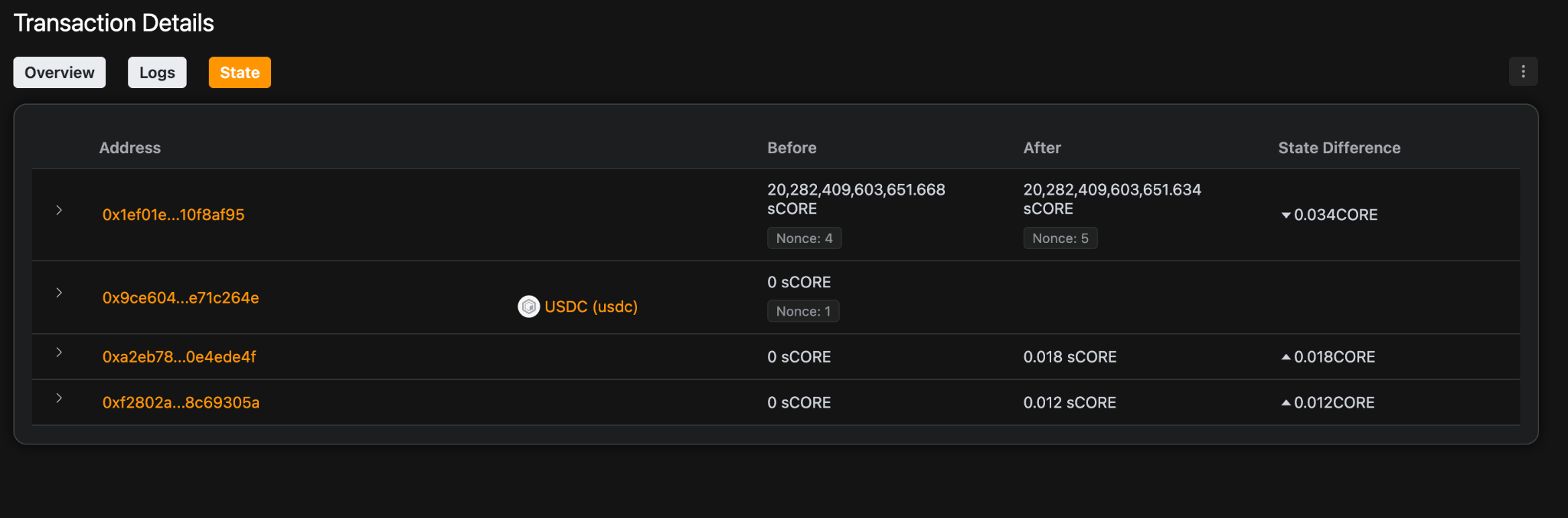
- Monitor Event Triggers in the State Tab: Whenever a Rev+ enabled transaction is triggered, the State tab on Core Scan displays configured contract events that were triggered by the transaction, making it easy to verify which actions led to fee distributions.